Key facts
- This guide compares workflow shape, not caption accuracy, export quality, or live prices; no competitor was lab-tested for this article.
- Subvo is designed for creators who already have a finished clip and want to preview the whole captioned video before paying for the final export.
- Competitor products and plans change, so verify current capabilities, limits, and checkout terms on each provider's official site before choosing.
Quick summary
A useful CapCut-alternatives comparison starts with the work left on your video, then verifies each product's current workflow, limits, and price at the source.
A search for a CapCut alternative can mean several different things: replacing a broad editor, finding a browser workflow, editing through text, or avoiding a large workspace for one caption export. A single ranked list hides those differences.
Start with the work that remains on the video. If cuts, audio, layout, and effects still need attention, compare complete editors. If the edit is locked and captions are the final task, compare the route from upload to a usable captioned file.
Use the same criteria for every tool
A long feature list does not automatically mean a tool is right for your workflow. Before choosing one, think about what still needs to happen between your finished clip and the version you are ready to publish.
- Does the tool work well with the type of videos you make?
- Can you preview the complete captioned video before paying for the final export?
- Are the captions readable on a phone screen?
- Can you choose a style and preset placement that do not cover the speaker or subject?
- Will the downloaded MP4 already contain the captions?
- Do you still need trimming, effects, templates, or audio editing?
- Does the price make sense for how often you publish?
Clear audio matters as well. Automatic captions work best when speech is easy to hear. Quiet voices, overlapping speakers, loud music, and heavy background noise can reduce accuracy regardless of which tool you choose. If account friction matters, use the no-sign-up caption guide to check the complete workflow rather than only the first upload screen.
Caption tools to evaluate by workflow
Subvo for a focused preview-and-export workflow
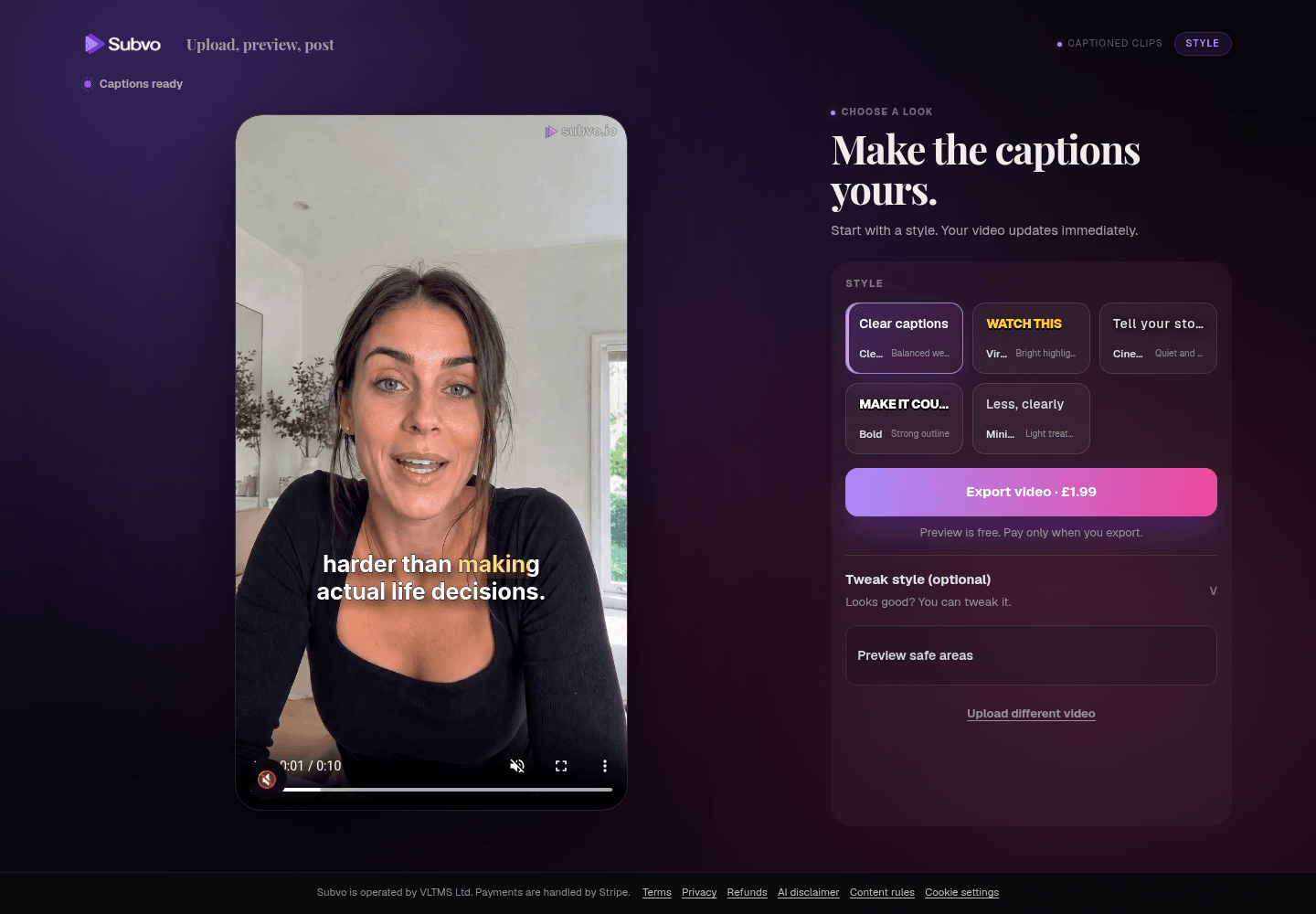
Subvo is built for the moment after the main edit is finished. You upload your clip, preview captions across the whole video, choose how they should look, and decide whether you want the final export.
It does not give you a traditional timeline, transitions, green screen tools, or multi-track editing. That is intentional. The aim is to remove the parts of a full editor that you do not need when captioning is the final job.
Automatic captions are not perfect, so Subvo lets you review the complete browser preview before checkout. Play the whole clip, inspect different audio conditions and backgrounds, check placement around faces and products, and compare supported styles in motion before you pay.
When to evaluate VEED
If VEED is on your shortlist because you expect a browser-based workspace, confirm that workflow in VEED's current product documentation. Before committing, check the editing, subtitle, translation, export, watermark, and collaboration capabilities available on the tier you would use.
The comparison question is whether you need a broader web editor or a focused caption export. This article does not claim that either approach is faster or more accurate for your footage.
When to evaluate Kapwing
If team review or a shared browser workspace is why Kapwing is on your shortlist, confirm that workflow directly with Kapwing. Check its current subtitle, editing, collaboration, export, and account rules before treating it as a fit.
For a solo, already edited clip, compare the extra workspace against the shorter caption-only route you actually need. For team work, the collaboration model may matter more than the number of caption styles.
When to evaluate Descript
If transcript-led editing is why Descript is on your shortlist, verify its current workflow in Descript's own documentation. In particular, check how changing spoken content relates to media editing and export on the plan you are considering.
Ask whether you need to change the underlying recording through text or simply burn readable captions into a locked cut. Those are different workflows and should not be ranked as though they solve an identical task.
Also confirm current account, project, transcription, and export limits for the plan you are considering; this article does not reproduce them because they can change.
When to evaluate Zubtitle
If social packaging for spoken footage is why Zubtitle is on your shortlist, check its current caption, headline, template, styling, and export options directly rather than relying on a static comparison summary.
Compare the amount of presentation work you need with Subvo's narrower promise: captions and a finished captioned MP4, not a complete social-video design suite.
When to evaluate Captions
If AI-assisted production beyond subtitle generation is why Captions is on your shortlist, confirm its current creation, editing, translation, platform, and export options directly. This category changes too quickly for a static summary to establish the available workflow.
If captions are the only remaining task, decide whether that wider production scope helps or simply adds a workflow you do not need.
When CapCut may still fit the job
Do not assume that searching for alternatives means you must leave CapCut. If it already handles the edit you need, compare the cost and disruption of switching with the specific problem you are trying to solve. Confirm current features and terms with CapCut.
A separate caption tool is most relevant when the main edit is complete or when preview, payment, account, or export behavior does not fit your process. It is not automatically a better full editor.
CapCut alternatives compared
| Tool | Question to verify | Reason to shortlist |
|---|---|---|
| CapCut | Does its current editor, caption workflow, export, and price fit this job? | You already use it or still need a broad editing workflow. |
| Subvo | Is a focused caption workflow enough, and do its 6-minute/100 MB limits fit? | You have an edited short-form clip and want to preview captions before a £1.99 export. It is not a full transcript or timeline editor; caption word fixes are limited to one corrected version after rendering. |
| VEED | Which browser editing, subtitle, export, and plan features are currently included? | You want to evaluate a broader browser workspace. |
| Kapwing | Do its current collaboration, subtitle, account, and export rules fit your team? | Shared browser review is part of the requirement. |
| Descript | Do you need transcript-led media editing, and what limits apply to your plan? | Editing spoken content through text is central to the job. |
| Zubtitle | Which caption, headline, template, and export options are currently available? | You want to evaluate social packaging around spoken footage. |
| Captions | Which AI creation, editing, translation, and export tools are current? | You want to evaluate AI-assisted production beyond captions. |
How to choose the right tool
Start by asking whether the edit is actually finished. If you still need to cut clips, mix audio, add transitions, or design the whole video, shortlist products whose current documentation demonstrates those editing capabilities.
If your workflow revolves around changing interviews, podcasts, or spoken recordings through text, verify a transcript-led editor before comparing caption-only exporters.
If you want social packaging or AI-assisted presentation beyond captions, evaluate tools that currently document those capabilities and test them with a representative clip.
And if the clip is already ready to post apart from captions, use a tool that does not turn that final step into another full editing project. Compare pay-per-export and subscription pricing around your real publishing frequency rather than assuming either model is always cheaper.
Where Subvo fits
Subvo works best with short-form videos built around clear speech: talking-head clips, tutorials, podcast highlights, interviews, and voiceovers.
It is not designed to repair poor audio or replace a full editor. Very quiet speech, overlapping voices, and music competing with the speaker can still cause missed or inaccurate captions.
That is why the preview matters. You can review caption timing and styling across the whole video before deciding whether the final export is worth paying for. Clear audio throughout still matters, and the browser preview does not guarantee every word is correct. The paid final pipeline may provide improved transcription accuracy and sharper rendering.
FAQ
Is Subvo a full replacement for CapCut?
No. Subvo is a focused caption workflow, not an attempt to reproduce CapCut's wider editing experience. Upload a finished clip, preview captions across the whole video, choose a style, and pay for the final captioned export.
Can I preview Subvo captions before paying?
Yes. You can upload a clip, preview the complete captioned video for free, and check timing and styling in different scenes before deciding whether to pay for the final export.
Are the captions included in the downloaded video?
Yes. The final MP4 contains the captions inside the video image, so you do not need to attach a separate subtitle file when posting it.
Subvo
Need captions rather than another editing workspace?
Subvo lets you review captions on your uploaded video before deciding whether to pay £1.99 for the finished MP4.
Related posts
Pay-as-you-go video captioning vs monthly subscriptions
Pay per export when caption jobs are occasional and already edited; consider a subscription when frequent publishing, saved projects, collaboration or broader editing tools justify the recurring cost.
Video caption generator without sign-up: what to look for
A no-sign-up caption tool can remove account friction, but the important questions are what you can check before paying, how you recover the job, and what the downloaded file contains.
How to add captions to a video online
You do not need to reopen a full editing project just to add captions. Upload the finished clip, preview the complete video, choose a readable style, and export when ready.